
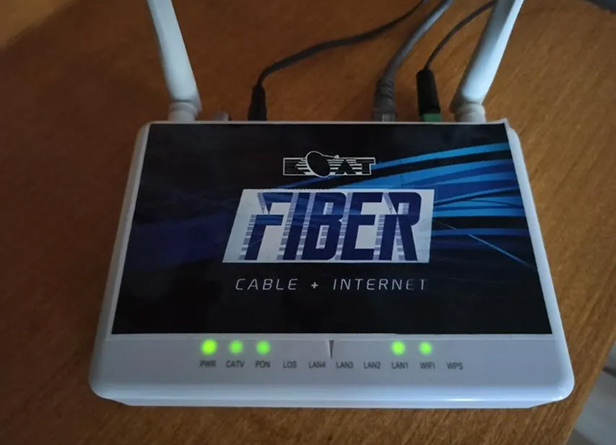
Introduction: As a valued subscriber of KCAT Inc., you rely on a stable and high-speed internet connection for your daily activities. However, like any technology, routers can occasionally run into issues that disrupt your online experience. Don’t fret! In this blog post, we’ve compiled the top 10 troubleshooting tips to help you resolve common router-related problems and keep your online world running smoothly.
- Check Power and Connections: Before diving into complex solutions, ensure that your router is properly plugged in and receiving power. Verify that all cables are securely connected to their respective ports.
- Restart Your Router: A simple restart can work wonders. Unplug your router, wait for about 10 seconds, and then plug it back in. This action can clear temporary glitches and improve your connection.
- Position Your Router Wisely: The placement of your router matters. Ensure it’s positioned in a central location, away from walls and obstructions, for optimal signal distribution throughout your space.
- Update Firmware: Outdated firmware can lead to performance issues. Log in to your router’s admin panel and check for available firmware updates. Regular updates can enhance security and overall functionality.
- Change Wireless Channel: Interference from neighboring networks can impact your Wi-Fi signal. Access your router settings and experiment with different wireless channels to find the one with the least interference.
- Secure Your Network: An unsecured network can invite unauthorized users, slowing down your connection. Set a strong password and enable WPA3 encryption to ensure your network’s security.
- Clear Cache and Cookies: Slow browsing speeds might be due to a cluttered browser cache. Regularly clear your browser’s cache and cookies to maintain optimal performance.
- Use Quality Equipment: Investing in a high-quality router can make a significant difference in your internet experience. Consider upgrading to a router that supports the latest Wi-Fi standards for faster and more reliable connections.
- Check for Overheating: Routers can overheat, leading to performance issues. Ensure your router is well-ventilated and not covered by objects that could block airflow.
- Contact Customer Support: If all else fails, don’t hesitate to reach out to KCAT Inc.’s customer support. Their expert technicians can guide you through advanced troubleshooting steps and address any hardware-related concerns.
Conclusion: A stable and high-speed internet connection is essential for modern living, and by following these top 10 troubleshooting tips, you can resolve most router-related issues on your own. Remember, a well-maintained router leads to a seamless online experience. If you ever find yourself in a bind, KCAT Inc.’s dedicated customer support is just a call away, ready to assist you in getting back online in no time. Stay connected, stay informed, and enjoy the digital world to its fullest.